
Can I check auto recording files on Linkus?
No, you can only check one-touch recording files on Linkus.
Can I check the recording files that are not made on Linkus?
Yes.
The recording files are synchronized on Linkus Mobile Client, Linkus Desktop Client and the PBX server.
How to manage recording files?
You can check and manage your one-touch recording files on Linkus.
Linkus for PC
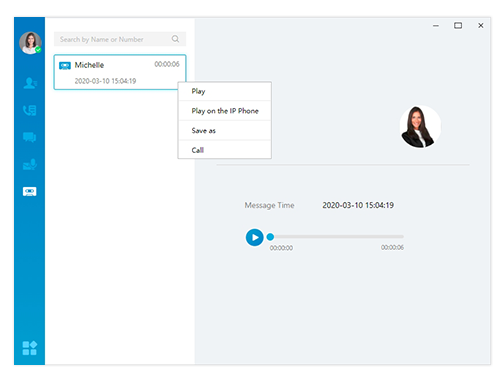
On the menu bar, click  to view and manage your recording files.Listen to the recordingRight click the desired recording file, and choose how to play the message.
- Play: Play the message on your computer.
- Play on the IP phone: Play the message on your IP phone.
Download the message. Right-click the desired recording file, and click Save as to save the recording file to local PC. Call the contact back. Right-click the desired recording file, and click Call.
Linkus for Mobile
At the bottom of the screen, tap Me > Recordings. Listen to the recording Tap  to play the recording.